
Count moves, then compare
Choose a nearby target. Ask children to predict the number of moves, count the journey and compare the result with their prediction. Count turns separately from forward moves when explaining the route.
Explore the TUK-TUK FLN robot kit: screen-free button coding, Grid Mode, pen-based Draw Mode and teacher-guided literacy and numeracy activities.
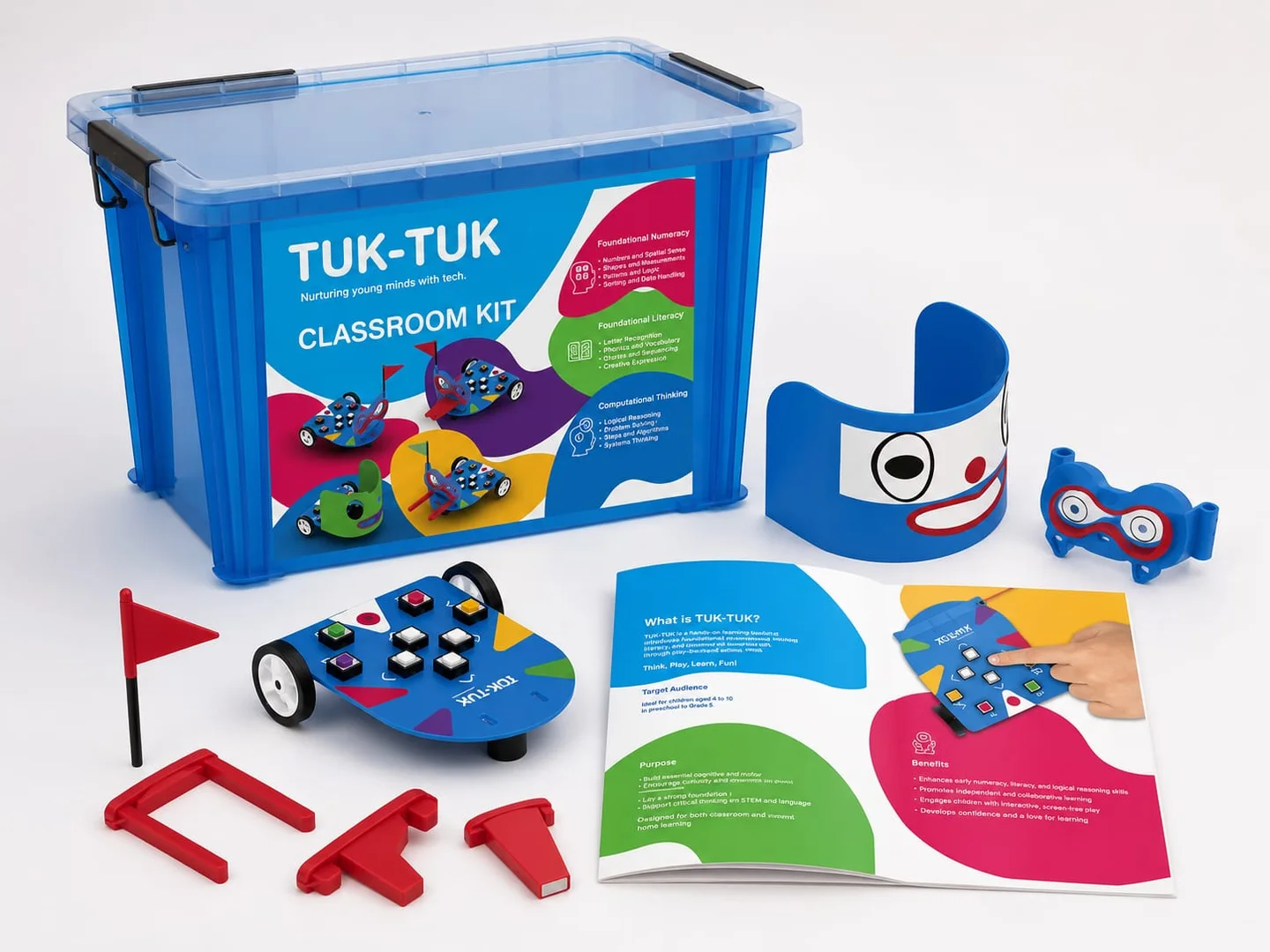
TUK-TUK FLN is a screen-free educational robot and activity kit supplied by Smart Anganwadi for teacher-guided early learning. Children use physical direction buttons to plan a route, test movement on an activity mat and explain what happened. An Anganwadi Worker or preschool educator connects the task to oral language, counting, shapes or sequencing. The robot offers a hands-on way to practise Foundational Literacy and Numeracy; it does not teach independently or replace stories, books and free play.
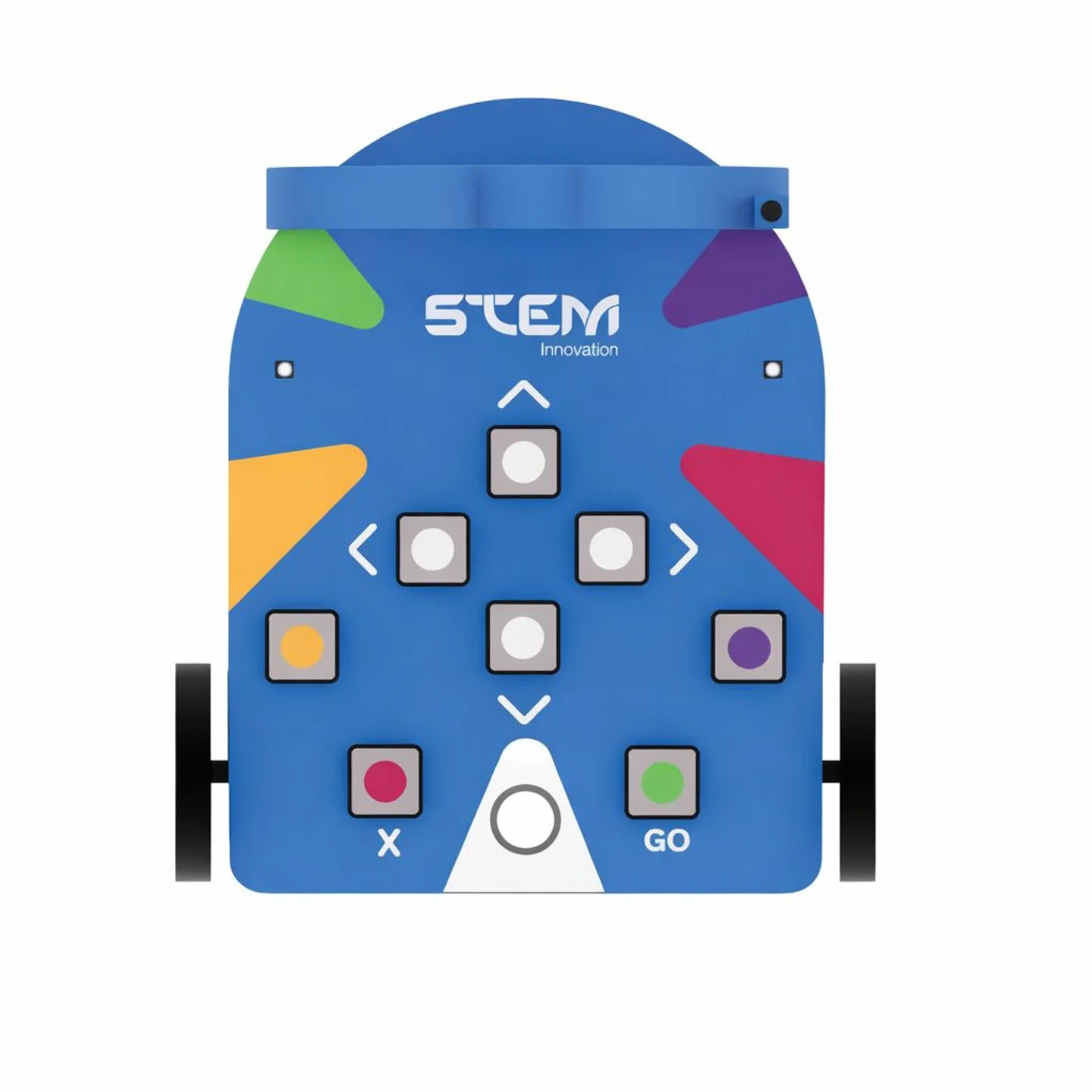
In TUK-TUK Grid Mode, children use physical direction buttons to enter a movement sequence, then run the robot across a compatible activity grid. The facilitator connects the route to one goal: counting moves, describing a picture, finding a number or explaining a position. Children predict the destination before pressing Go, watch the result and revise their instructions. The printed targets provide the learning context; the robot follows the entered directions rather than reading the mat.
Choose a nearby target. Ask children to predict the number of moves, count the journey and compare the result with their prediction. Count turns separately from forward moves when explaining the route.
Use a picture or letter target on a suitable mat. Ask a child to describe or name it before planning the journey, then explain the route to a partner. Choose familiar vocabulary and a script appropriate to the group.
TUK-TUK Draw Mode uses an attached compatible pen to make the robot's movement visible as a line on paper. Children can plan a short sequence, predict the marks and compare the drawing with their idea. Use the current model's instructions for fitting the pen, choosing the drawing surface and entering commands. The facilitator manages the attachment and movement area; the exact pen accessory and supplied drawing materials should be confirmed for the selected package.
Demonstrate a straight line and a change of direction. Invite children to notice where the line changes and describe the marks using words such as straight, corner and turn. Build a simple shape only with commands supported by the demonstrated model.
Repeat a short supported movement sequence and compare the resulting marks. Ask what stayed the same and what changed. Children can trace or describe the pattern afterwards, connecting visible movement with spatial language and sequencing.
The learning goal comes from the activity and facilitator conversation, not from movement alone. Choose one goal per turn, make it visible to the children and ask them to explain their reasoning before and after the robot moves.
Use familiar pictures, oral descriptions and story prompts to practise vocabulary, listening and expression. Where the chosen mat includes letters, invite children to recognise or name a target; do not assume every supplied mat contains an alphabet.
Count moves aloud, compare predicted and actual movement, identify numbers on a numbered mat and describe shapes or positions. The teacher checks what children understand rather than treating a completed route as a test score.
Children arrange directions in order, predict a result, test the sequence and change a step when needed. This is early planning and problem-solving, not professional programming or a claim that the robot uses artificial intelligence.
Pairs can agree a target, take turns pressing buttons and explain a route to the group. Offer speaking, pointing and predicting roles so that participation is not limited to the child holding the robot.
Screen-free here describes the learning interaction: physical buttons, a visible moving robot and printed activity materials instead of an app-based lesson. It makes a sequence concrete and gives peers something to predict and discuss. This is one classroom option alongside picture books, manipulatives, music and open-ended play, not an argument against all screen-based resources or a medical claim.
Use a clear floor or table area appropriate to the current product instructions. Keep children positioned where they can see the arena without reaching into the moving path. Rotate the roles of target chooser, route planner, button operator and observer. Short turns and discussion can make one activity meaningful for a small group; the suitable group size depends on space, supervision and the children.
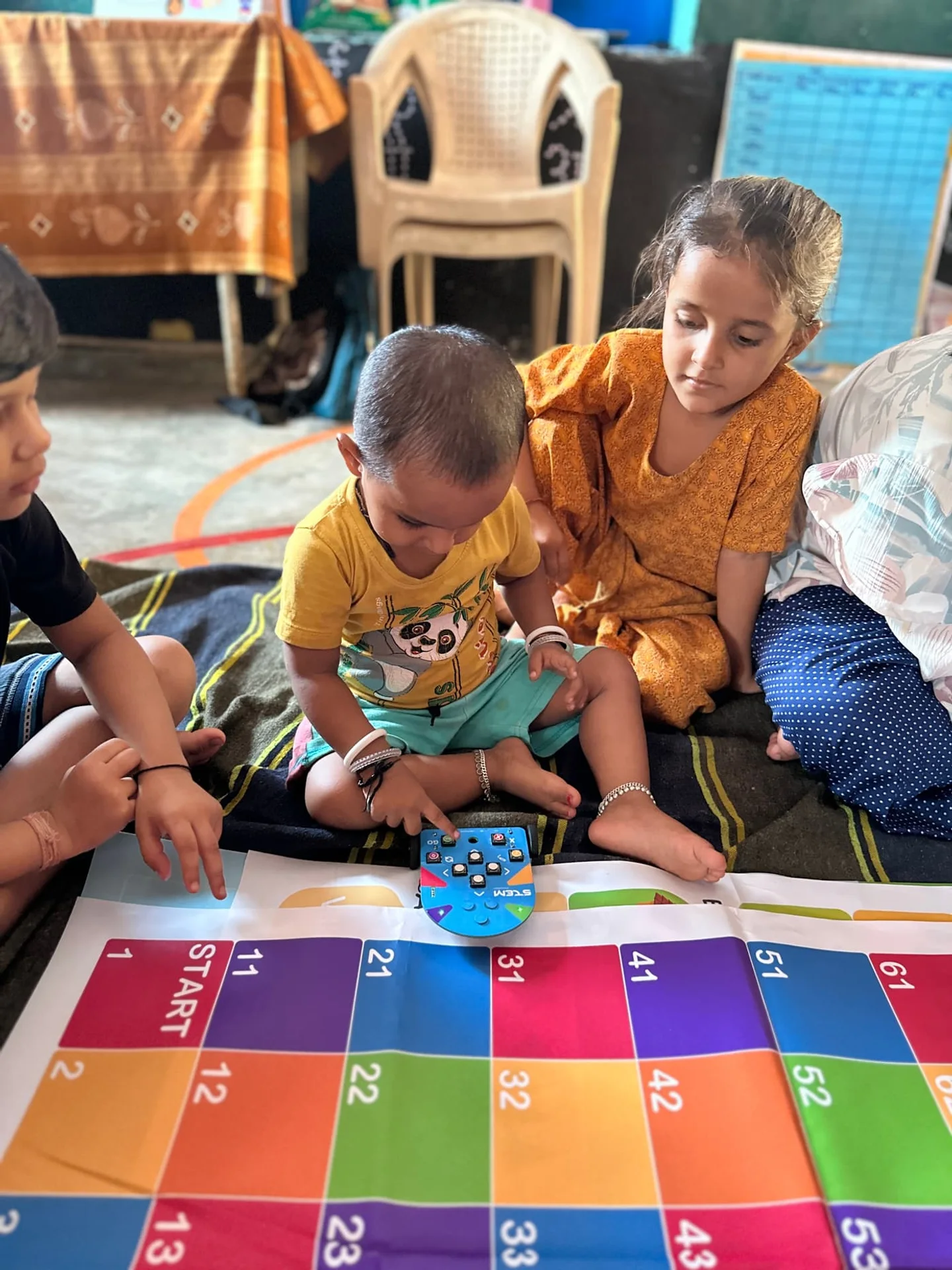
These are suggested facilitator-designed activities, not a claim that each is a named activity supplied in every package. Use only the symbols, materials and movement controls available in your current kit. The visible numbered mat supports counting and route examples; picture, letter and shape tasks require a suitable mat or teacher-prepared prompts.
Counting and one-to-one correspondence · Pair or small group
Choose a nearby goal on the mat. Children predict how many moves are needed, count each move and compare their prediction with the journey.
Learning objective: Connect each spoken number with one visible move.
Oral language and position words · Pair
A child describes a pictured target, where present, without pointing. A partner identifies it and proposes a route; the group checks whether the description was clear.
Learning objective: Practise vocabulary and explaining a location.
Sequencing · Individual with group discussion
Children say a short direction sequence aloud before entering it. After the run, they describe what happened first, next and at the end.
Learning objective: Relate an ordered set of instructions to an observable result.
Shape recognition and spatial language · Small group
On a suitable shape mat, select a shape prompt and ask children to identify a matching target. Let them describe the shape and plan a short route.
Learning objective: Recognise a shape and explain the chosen match.
Storytelling and listening · Small group
With suitable picture prompts, make a short story with two destinations. Children explain what happens at each stop and agree the order before testing the route.
Learning objective: Build a coherent oral sequence using familiar vocabulary.
Prediction and problem-solving · Pair or small group
Show a short route that stops away from the intended target. Invite children to explain the mismatch and suggest one instruction to change, then test it together.
Learning objective: Use observation to revise a plan, without treating errors as failure.
Letter recognition, where appropriate · Individual turn with peer support
On a mat with letters in a familiar script, the facilitator names a target. Children identify it, plan a route and discuss a familiar word associated with it.
Learning objective: Connect a visible letter with an oral-language prompt.
Directional language and reasoning · Pairs
Choose a reachable target and invite two pairs to describe different routes. Test one at a time and discuss which directions changed; do not assume every path is equally suitable for the mat.
Learning objective: Explain and compare plans using direction words.
These resources have different uses and can complement one another. The comparison describes classroom interactions, not a ranking of products or proof of better learning outcomes.
| Learning feature | Conventional static materials | TUK-TUK activity environment |
|---|---|---|
| Physical interaction | Children handle books, cards, blocks or puzzles. | Children enter directions and observe the robot's movement. |
| Sequencing | Order pictures, objects or story cards. | Order directions, then test the movement sequence. |
| Route planning | Trace or describe a route on a picture or grid. | Predict and test a route on a compatible activity mat. |
| Group collaboration | Share materials and agree an arrangement or story. | Rotate operator, planner and observer roles. |
| FLN connection | Select materials for a language or number goal. | Connect a movement challenge to the same kind of goal. |
| Repeatable challenge | Change the arrangement or prompt. | Change the target, route or facilitator question. |
The existing product photos show the robot, printed activity material and packaged classroom presentation. They do not establish an exact current bill of materials. Confirm the selected variant, quantities, accessory compatibility and delivery scope in writing before procurement.
| Verified format | Description |
|---|---|
| Interaction | Physical button-based direction input and visible robot movement. |
| Learning format | Facilitator-led mat, route and activity-prompt sessions. |
| Learning focus | Foundational literacy, foundational numeracy and computational-thinking activities. |
| Screen requirement for the activity | The described button-and-mat learning interaction is screen-free. |
| Classroom presentation | Existing photographs show product boxes and a classroom storage-box presentation. |
| Institutional planning | Request product details, a demonstration and a centre-wise quotation. |
Smart Anganwadi's existing service model includes learning-material supply, Karyakarta orientation and project implementation guidance. For a TUK-TUK enquiry, ask the team to demonstrate a complete session and specify the support included in the proposed order. Agree the activity language, setup responsibilities, care instructions and handover documentation; no fixed training duration or warranty is implied.
The product library includes a photograph of children around a robot on a numbered mat. It illustrates physical interaction and a group setting; it does not verify a location, client, deployment total or learning result. For broader centre-transformation examples, explore the published project gallery and case studies, and request project-specific documentation for procurement.
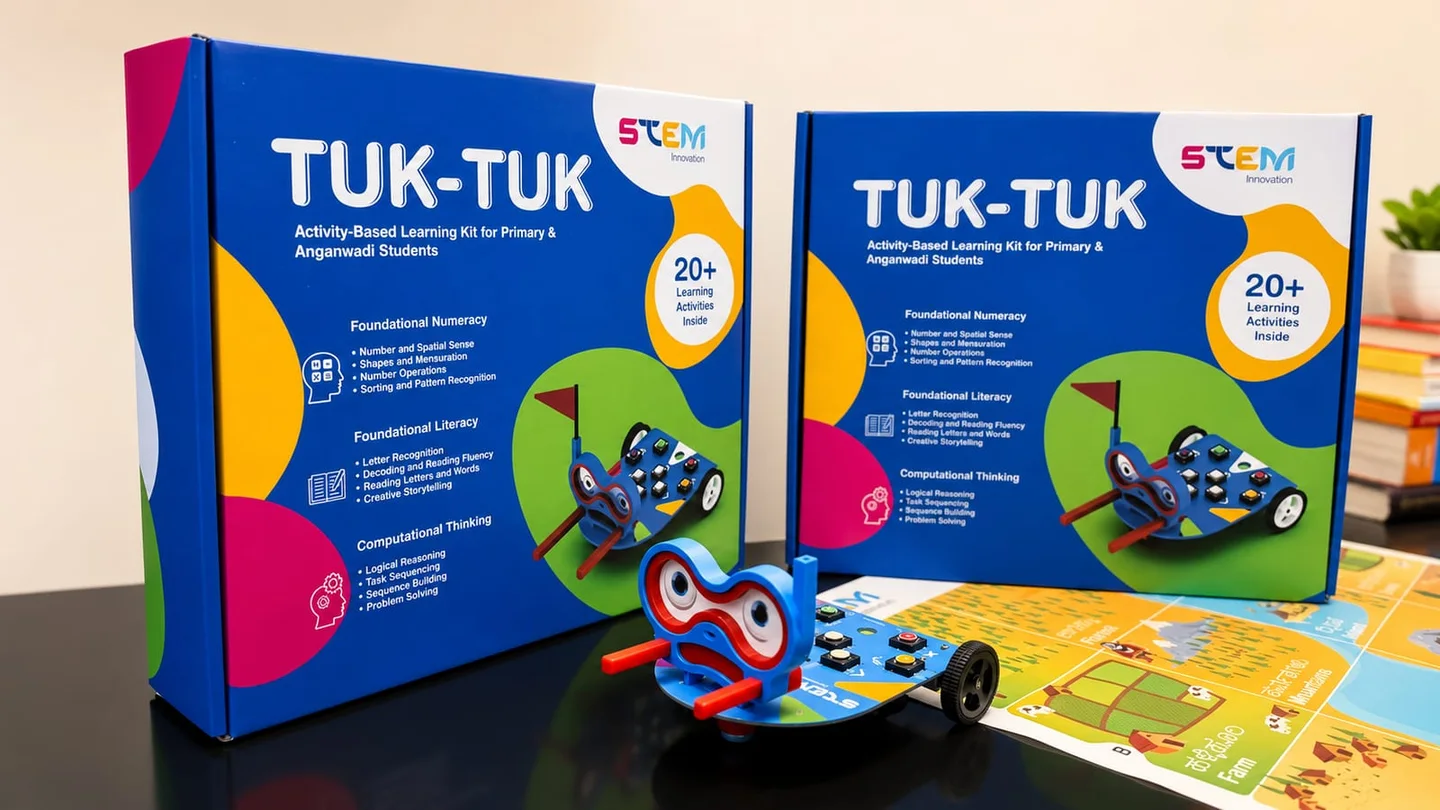
An FLN robot kit combines a physical educational robot with activity materials for foundational literacy and numeracy tasks. TUK-TUK uses screen-free button-based movement: an educator connects a route or drawing activity to language, counting, shapes, sequencing and explanation.
Grid Mode uses movement across a compatible activity mat to explore targets, routes and counting. Draw Mode uses an attached compatible pen to record movement as marks, shapes or patterns on paper. Request a demonstration of both modes and confirm the accessories included in your selected TUK-TUK package.
FLN means Foundational Literacy and Numeracy. Early activities can support oral language, print awareness, counting, quantity, shapes and patterns through play and adult interaction.
The described learning interaction uses physical direction buttons and activity materials rather than an app-based lesson. Confirm the current setup and charging instructions for the selected variant.
It can be considered as an optional teacher-guided activity resource. Match the current product age and safety instructions, available space, language and learning goals to the children before use.
Obtain the current variant's written age and safety guidance. The age ranges shown in different existing materials are not sufficiently consistent to publish one universal product age here.
It introduces sequencing, direction, prediction and correction through physical movement. This is age-appropriate computational thinking, not professional programming.
No. An educator chooses the language or number objective, selects suitable materials, guides children and asks them to explain what they noticed.
Single-centre and classroom presentations are shown in the product library. Request an itemised current specification for the robot, mats, printed resources, accessories, charging, storage and support before ordering.
A facilitator can use a language children understand when discussing routes, pictures and counting. Printed regional-language materials or product customisation must be confirmed separately with the team.
Request activity demonstration and Karyakarta orientation as part of the proposed implementation scope. Confirm delivery mode, language, participants and support responsibilities in the written quotation.
Yes. Use Request a Demo or the product enquiry link, sharing the centre count, learner context, location and project requirements. Smart Anganwadi supplies and implements funded projects; it does not provide grants.
Official guidance provides educational context, not approval or certification of this product.
Request a demonstration, current itemised contents and a written project quotation. Smart Anganwadi supplies and implements funded projects; it does not provide grants.
Request a Demo · Request Product Details
Smart Anganwadi™ is a tech-enabled Anganwadi implementation and execution partner operated by Arihantya Vision Works Private Limited, Thaltej, Ahmedabad, Gujarat 380058, India | info@smartanganwadi.com | +91 99982 43365. It is a private company, not a government department or scheme, and does not provide grants, funding, loans or any assistance or government financial support.